Page 1 of 2
OBDII Connection Refused
Posted: Wed Dec 24, 2025 10:37 am
by Soup2409
Hi, i am trying to get the OBD charts working, have the widgets setup in hudiy dashboard:
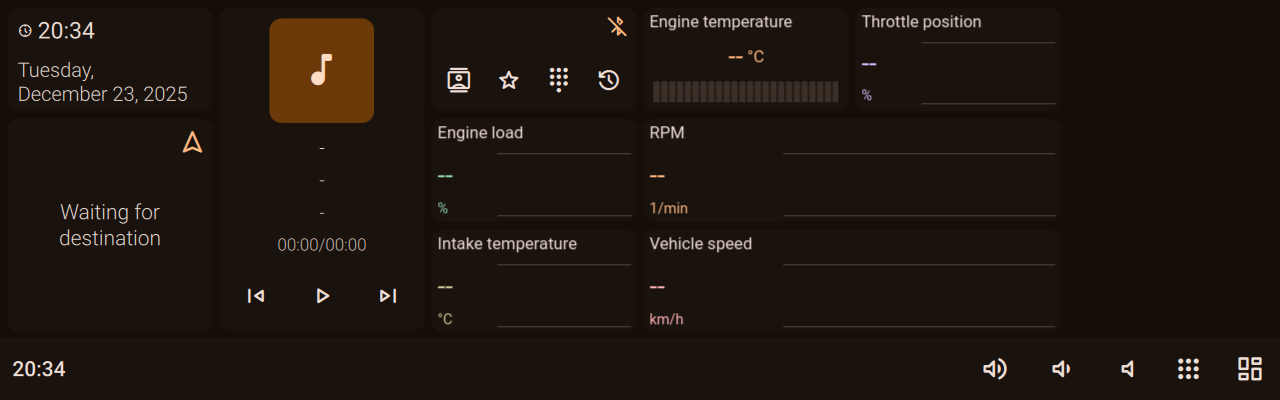
- 20251223_20h34m01s_grim.png (55.43 KiB) Viewed 555 times
And i have managed to successfully pair the OBD reader in bluetoothctl
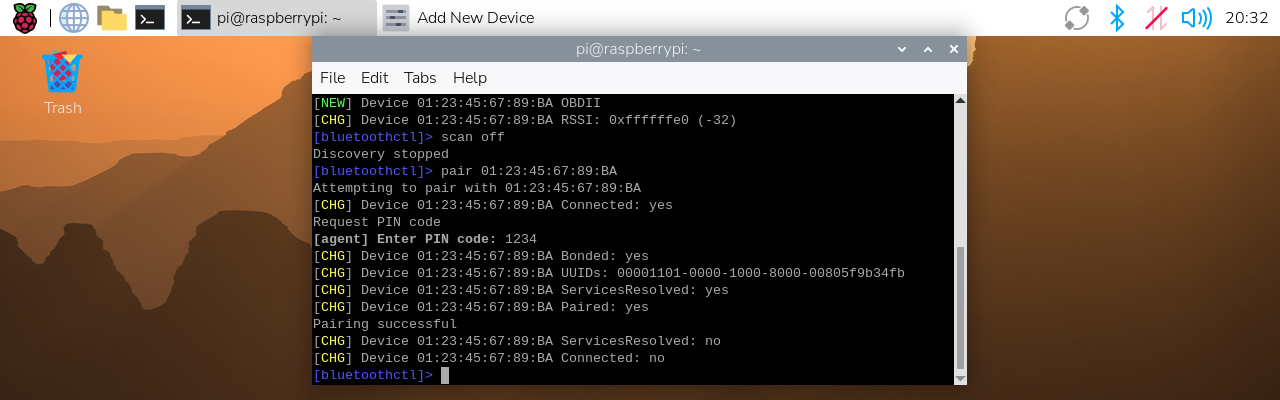
- 20251223_20h32m17s_grim.png (326.32 KiB) Viewed 555 times
I have also used the same MAC address in my main_configuration for the obd settings
The logs state multiple times:
Code: Select all
[2025-12-23 20:04:16.324259] [0x0000007f11fe1b20] [info]	[hudiy] [ObdDevice] failed to open obd transport.
[2025-12-23 20:04:16.324392] [0x0000007f11fe1b20] [info]	[hudiy] [ObdManager] opening device failed. Retrying...
[2025-12-23 20:04:24.151453] [0x0000007f11fe1b20] [error]	[hudiy] [ObdRfCommTransport] failed to connect, address: 01:23:45:67:89:BA, channel: 1, error: 111, message: Connection refused
Any help would be appreciated
Re: OBDII Connection Refused
Posted: Wed Dec 24, 2025 10:46 am
by hudiy
Hello,
which OBD-II dongle model are you using? The MAC address looks a bit unusual.
Quick tip: You can also pair your dongle directly through the Bluetooth menu in Hudiy.
Re: OBDII Connection Refused
Posted: Wed Dec 24, 2025 10:52 am
by Soup2409
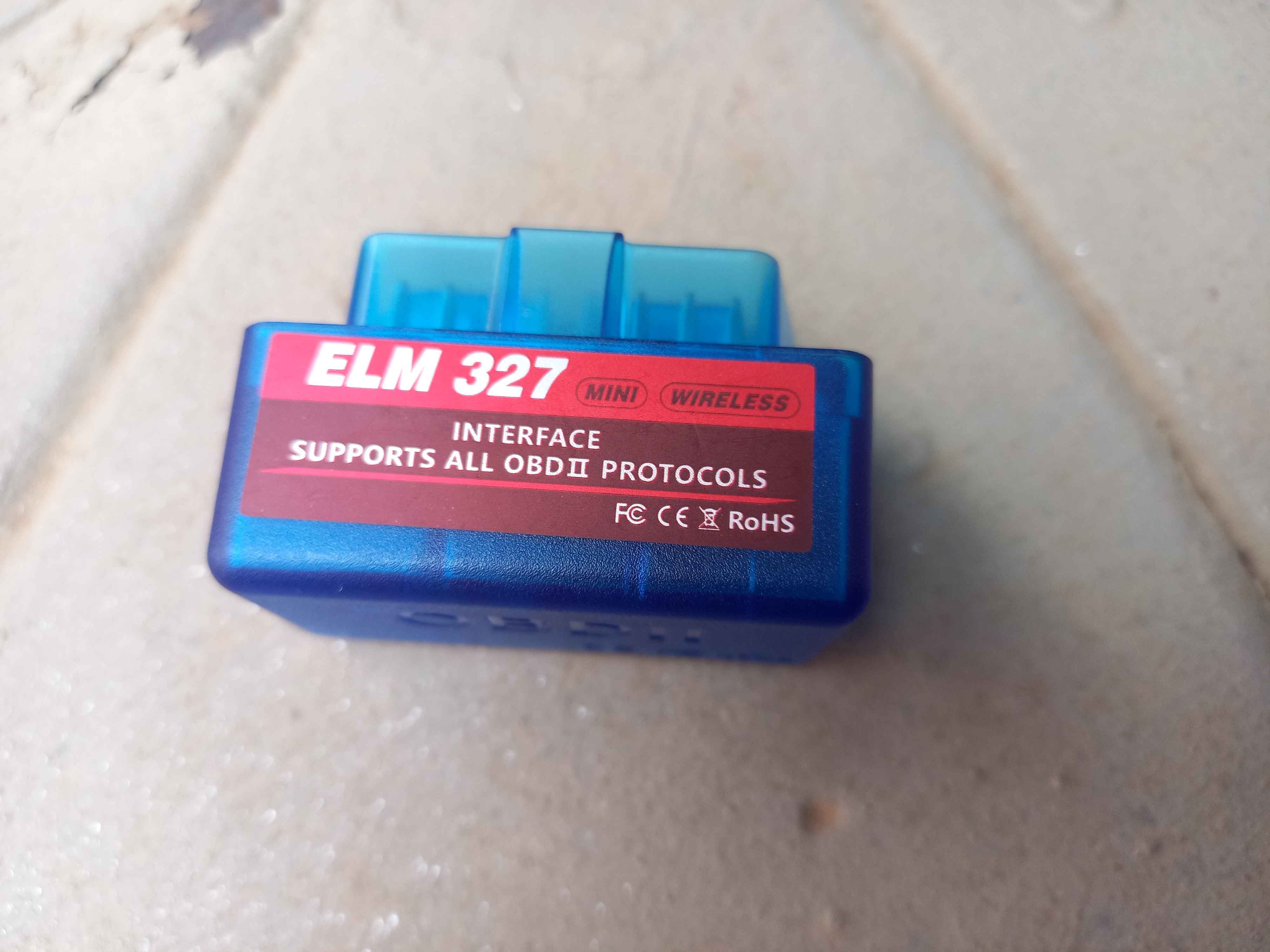
One of these generic ones
https://www.amazon.co.za/gp/aw/d/B0DJMH ... asin_title
- 17665734126276926099242801360198.jpg (2.57 MiB) Viewed 548 times
Heres an actual pic. It didnt come with much documentation either. If the dongle is an issue do you have any suggested products instead

Also thanks for the tip did not know that

Re: OBDII Connection Refused
Posted: Wed Dec 24, 2025 10:54 am
by Soup2409
I should mention that i did manage to connect to the obd scanner with my phone and retrieve rpm with one of those free apps, so it does work
Re: OBDII Connection Refused
Posted: Wed Dec 24, 2025 10:57 am
by hudiy
If you paired via bluetoothctl, try to add the device to trusted list by executing below command in bluetoothctl
Or you can remove existing pairing and pair with the device using Bluetooth menu in Hudiy. If that will not help, please post output of
command (via terminal)
Re: OBDII Connection Refused
Posted: Fri Dec 26, 2025 1:25 pm
by Soup2409
I have tried all the above including trusting in ctl as well as removing and then pairing in the hudiy UI
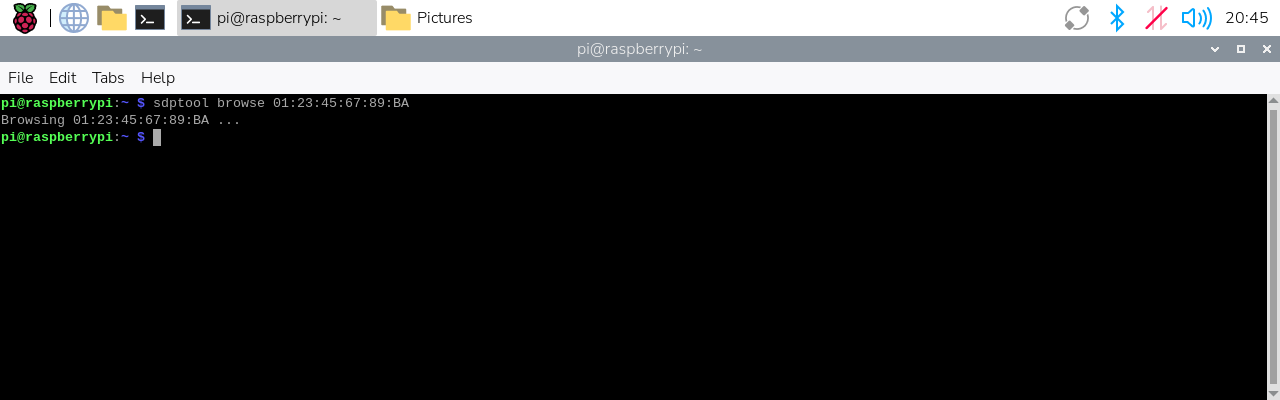
Sdptool returns
- 20251223_20h45m00s_grim.png (27.94 KiB) Viewed 489 times
Re: OBDII Connection Refused
Posted: Fri Dec 26, 2025 3:04 pm
by hudiy
The UUID "00001101-0000-1000-8000-00805f9b34fb" visible in one of the previous screenshots is the UUID of SPP (Serial Port Protocol). It should be also visible in sdptool.
Could you please send us full logs from $HOME/.hudiy/log? You can zip the directory and then upload the zip file to this thread.
Please also post output of the
command.
Re: OBDII Connection Refused
Posted: Sun Jan 11, 2026 12:10 pm
by Soup2409
Sorry for the absence
Output of sdptool record
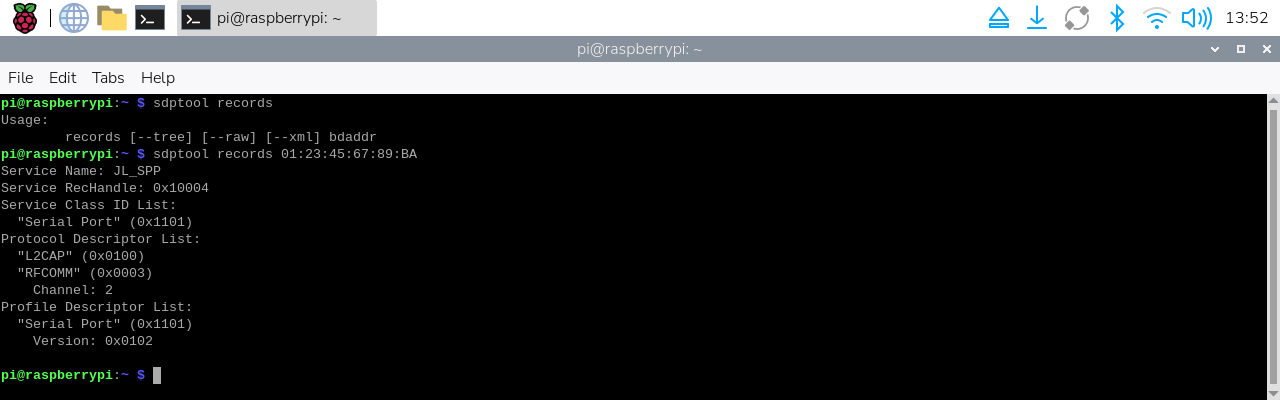
- 20260111_13h52m33s_grim.png (51.55 KiB) Viewed 345 times
Logs attached but i very very recently switched to a read only system so not sure how this might affect the logs or if it affects the OBD handling?
Re: OBDII Connection Refused
Posted: Sun Jan 11, 2026 12:25 pm
by hudiy
Thanks for the sdptool output. It looks like your dongle listens for RFCOMM traffic on channel 2. By default Hudiy uses channel 1. You can change the channel number in main_configuration.json:
https://github.com/wiboma/hudiy/blob/ma ... ion.md#obd (
rfcommChannel). Try changing
rfcommChannel to 2 and check if Hudiy is able to communicate with your dongle. A restart of Hudiy is required for the change to take effect.
Re: OBDII Connection Refused
Posted: Sun Jan 11, 2026 3:26 pm
by Soup2409
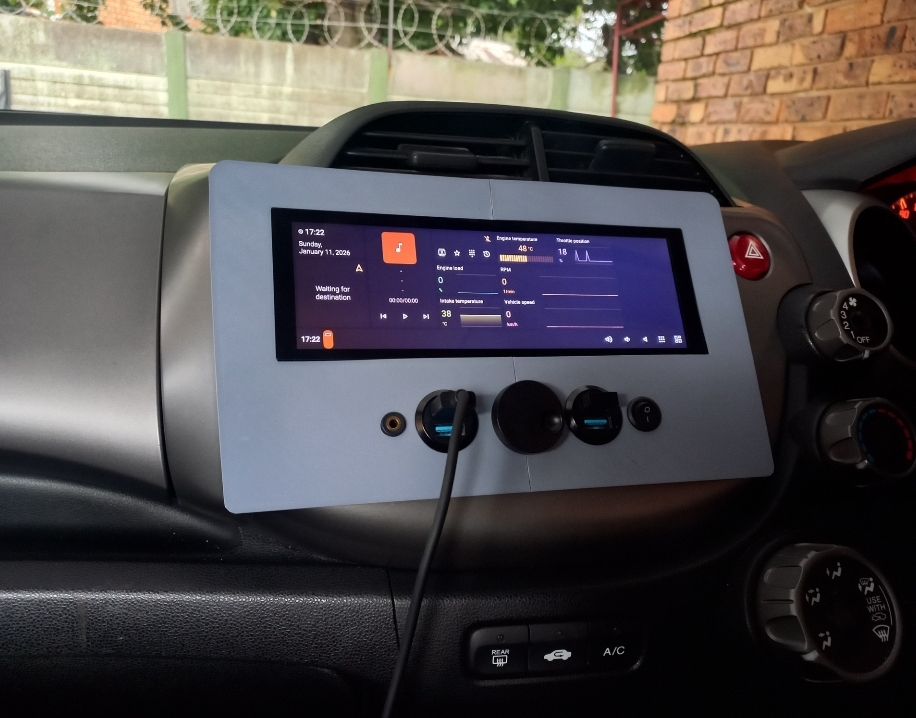
That worked, rebooted and it was flawless, thank you so much for the assistance and really efficient troubleshooting
And for hudiy itself lol

- Screenshot_20260111_172427_Gallery.jpg (398.33 KiB) Viewed 329 times

