I managed to fully program a BMW E60 iDrive controller and control the head unit interface using the Hudiy API. With the iDrive I can control CarPlay, Android Auto and the Hudiy itself. For communication with the iDrive I used a CAN/RS485 HAT from Waveshare. A friend of mine who owns an E60 with this iDrive installed helped me sniff the communication. Luckily, the communication itself is quite simple and works on a polling mechanism to check the controller's status. The whole setup requires only three CAN frames to function (wake up, status request and status response). The whole thing took a few days and fortunately we managed not to damage my friend's car

.
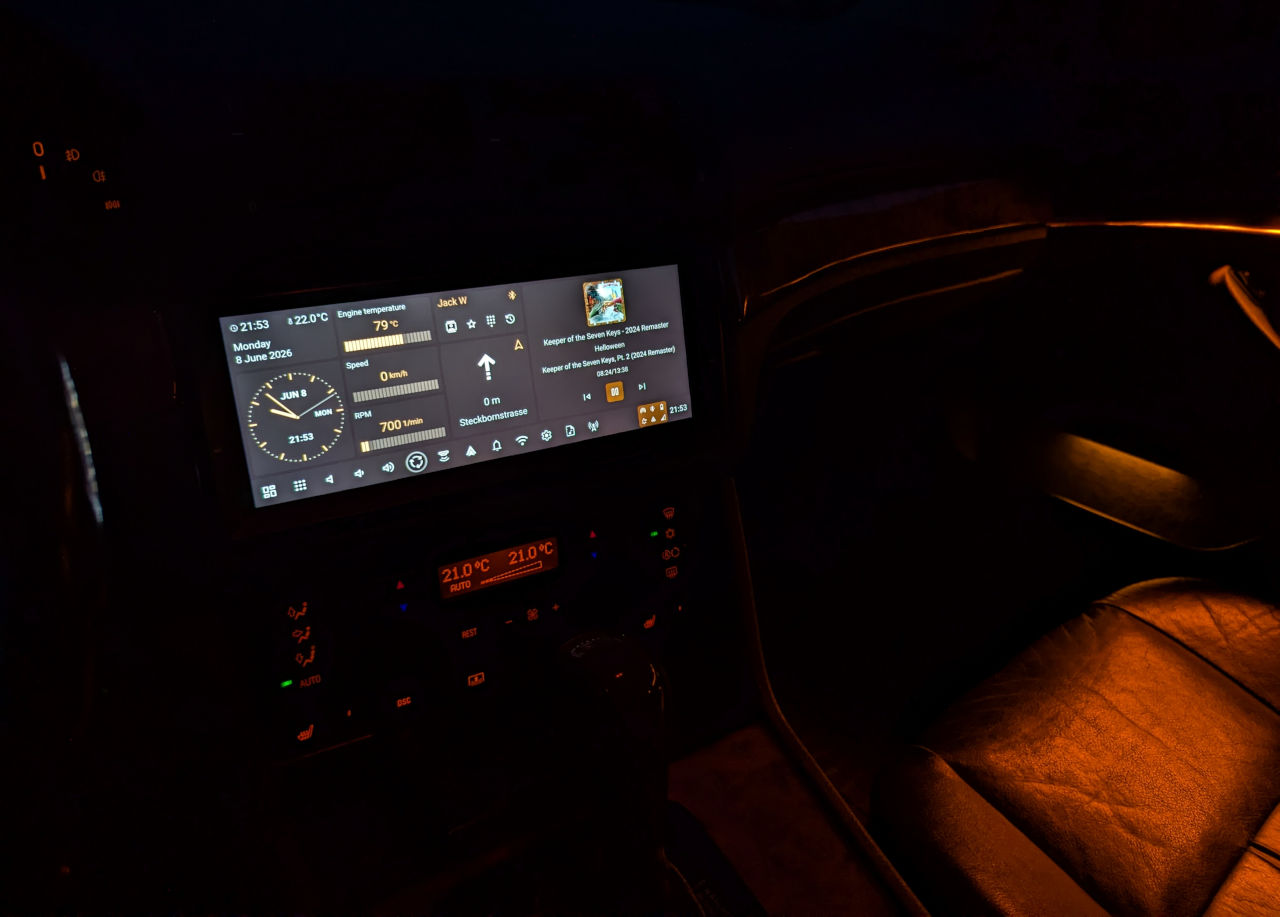
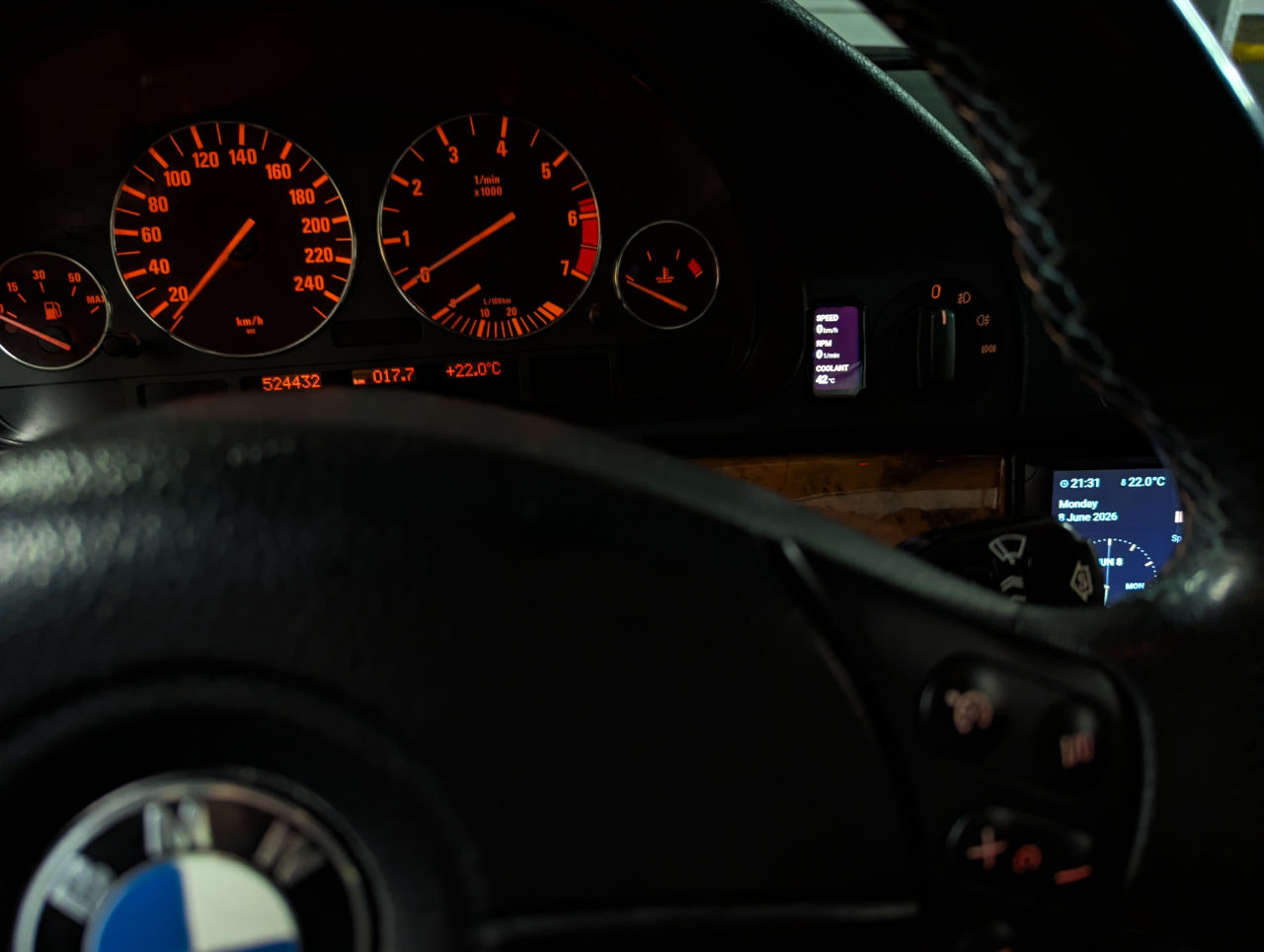
Another cool thing is the iBUS communication. I managed to decode and program all the steering wheel buttons. I can control the volume, skip tracks and answer voice calls. Also via iBUS I was able to extract information about the ambient temperature, engine temperature, RPM and speed.
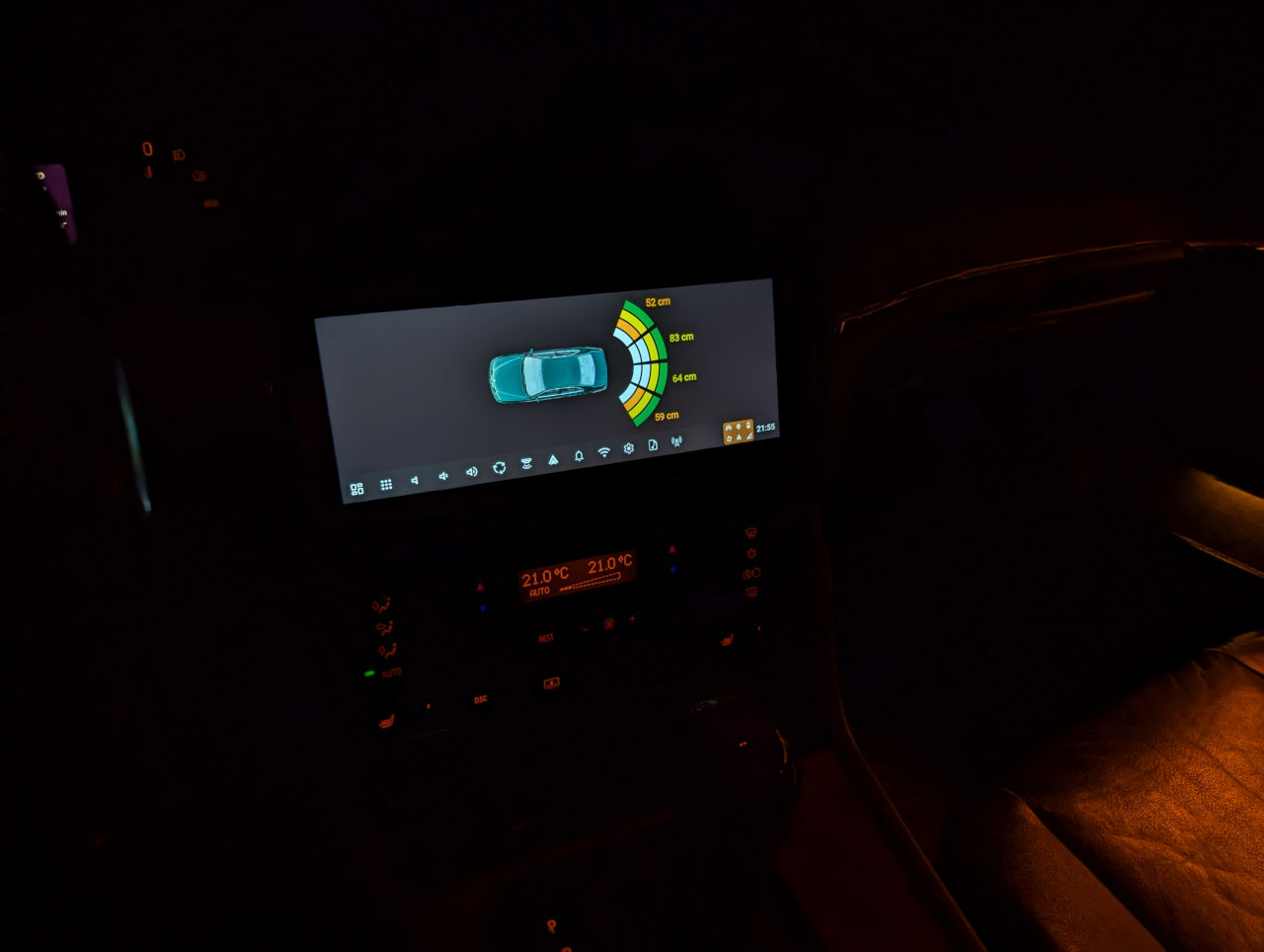
The coolest thing I've managed to do via iBUS so far is detecting when reverse gear is engaged and fetching data from the parking sensors. It turned out that by spoofing a diagnostic module and sending the right frame to the PDC module, the module sends back readings in centimeters from all sensors. I saw this data in INPA (BMW diagnostic software) and managed to sniff the communication between the software and the PDC module. It took just one frame for the PDC module to recognize me as diagnostic software. For iBUS communication I'm using a USB module that I bought a long time ago for an old Android head unit. This module uses the Melexis TH3122 chip. I display the sensor data on an HTML UI linked to Hudiy as an app. When I shift into reverse, the screen appears automatically and it hides when I shift out of reverse. I also did this using the Hudiy API.
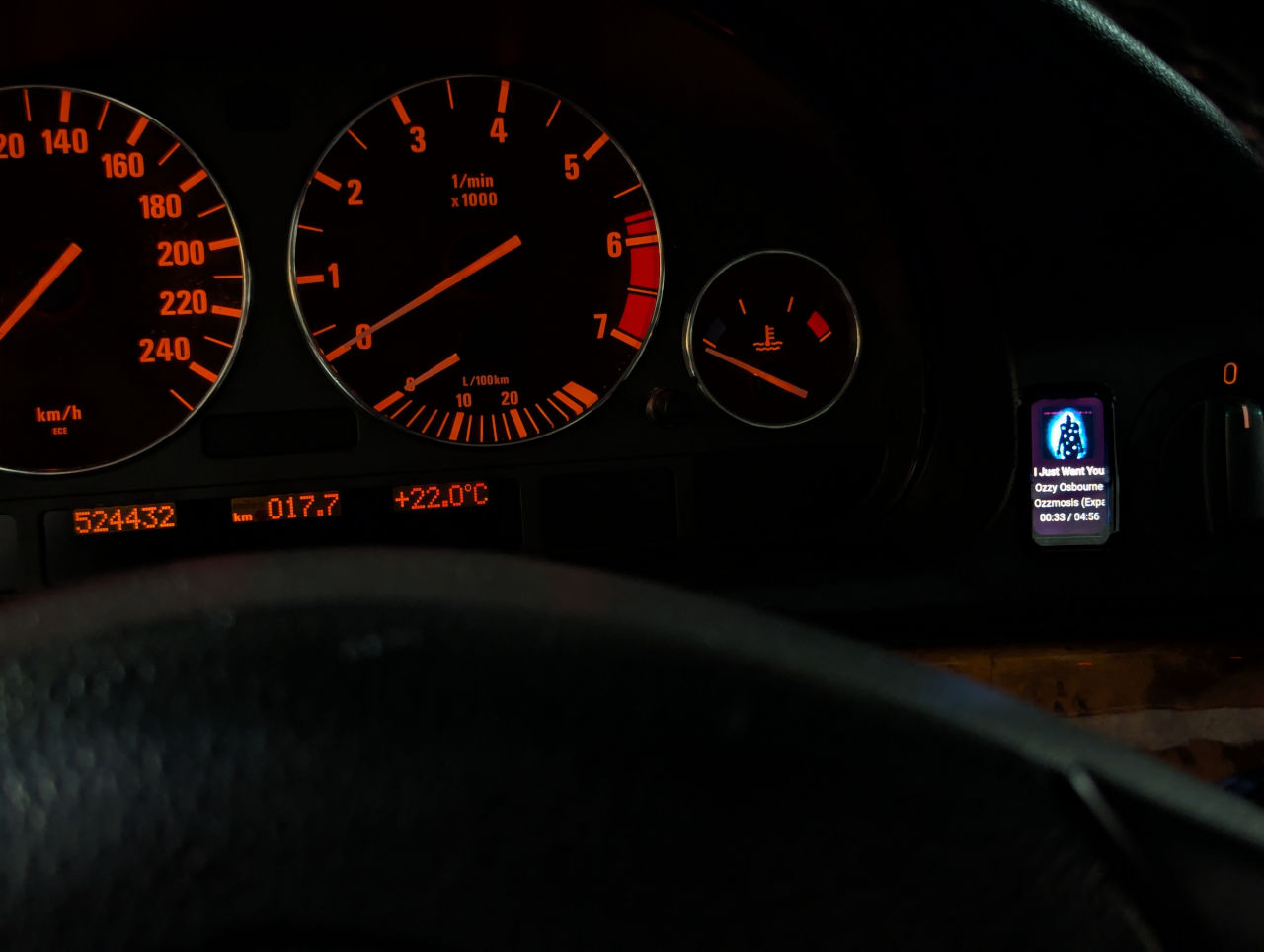
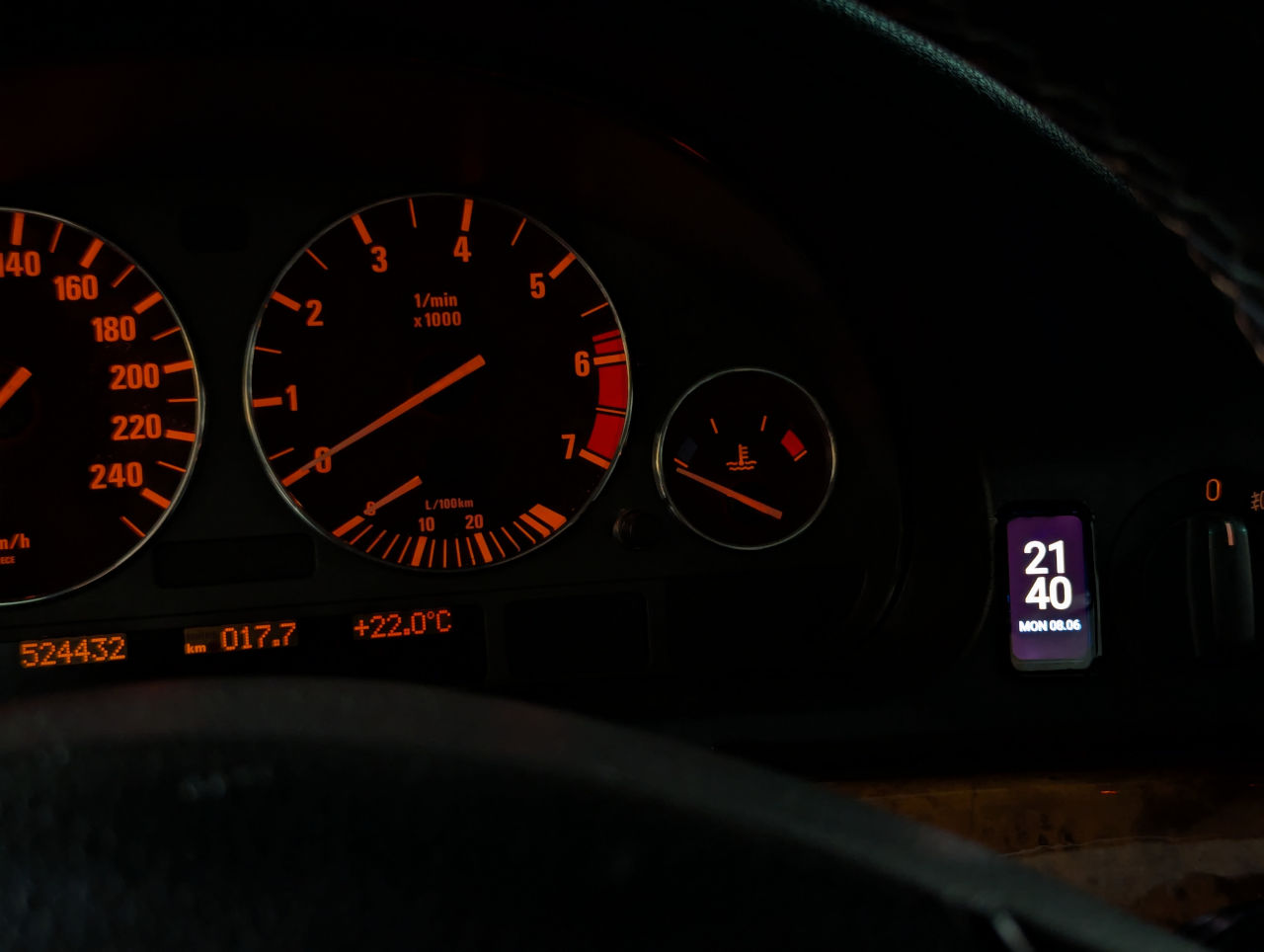
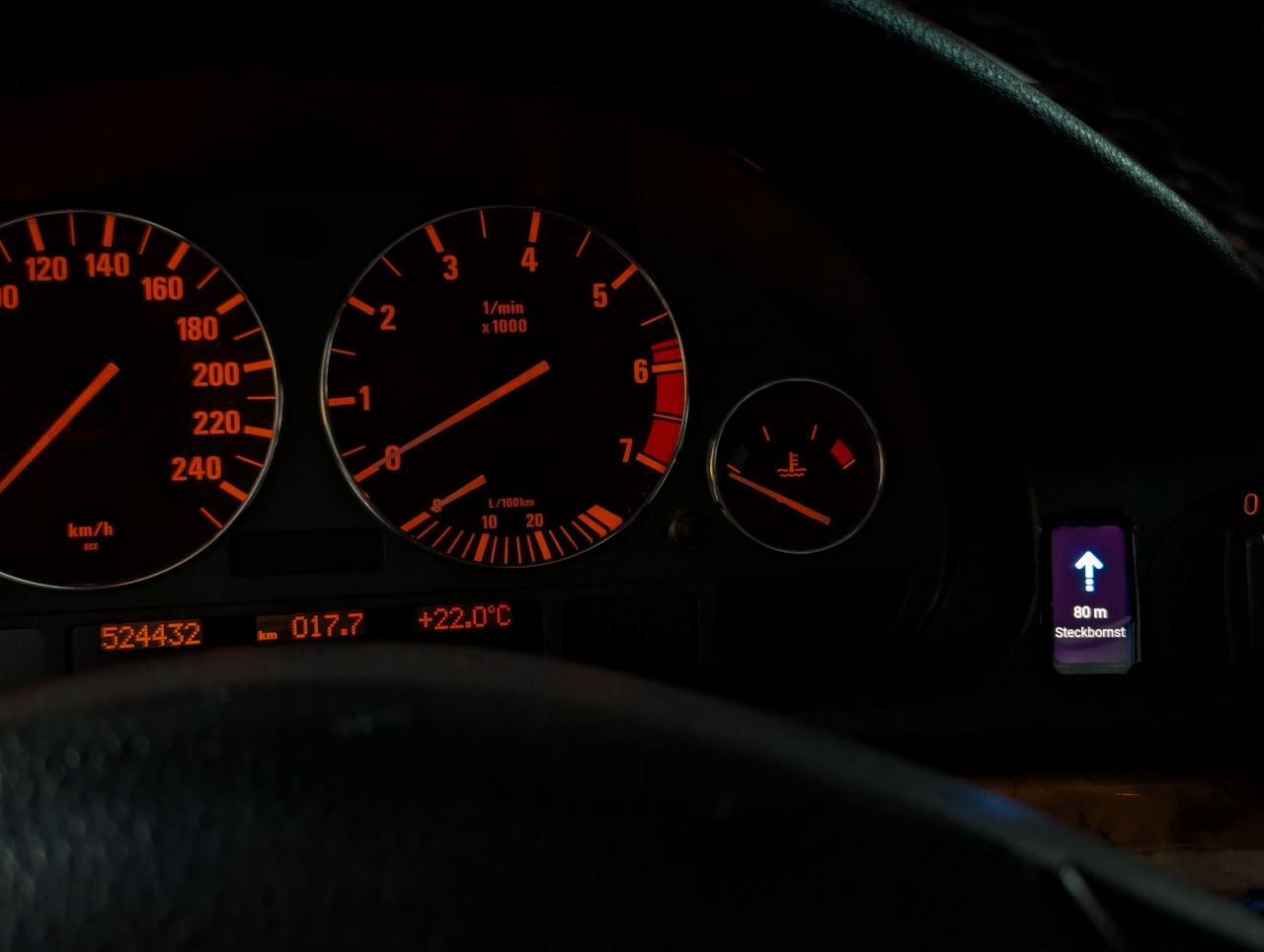
I also managed to integrate a tiny 1.47'' 172x320 screen from Waveshare into the instrument cluster bezel. There was a blank cover for some button in the bezel and it turned out that this display fits the dimensions of the cover perfectly. The tiny screen is connected to a Raspberry Pi Pico 2 via SPI and the Raspberry Pi Pico 2 is connected to the Raspberry Pi 5 and Hudiy via USB.
The screen displays my HTML UI which I prepared specifically for this display and the displaying itself is handled by Hudiy. For now I have screens in HTML to display navigation info, music, a clock and my iBUS data.
Next up, I plan to install a backup camera and further expand the iBUS functionality to extract info like average fuel consumption, fuel level and driving range.
- 1.jpg (59.7 KiB) Viewed 117 times
- 3.jpg (84.13 KiB) Viewed 117 times
- 4.jpg (79.67 KiB) Viewed 117 times
- 5.jpg (71.99 KiB) Viewed 117 times
- 6.jpg (74.38 KiB) Viewed 117 times
- 7.jpg (87.93 KiB) Viewed 117 times